
How to Delete Your AI Companion Data: 14 Apps, Step by Step (2026)
By Lena Voss · Last updated 16 Oct 2026
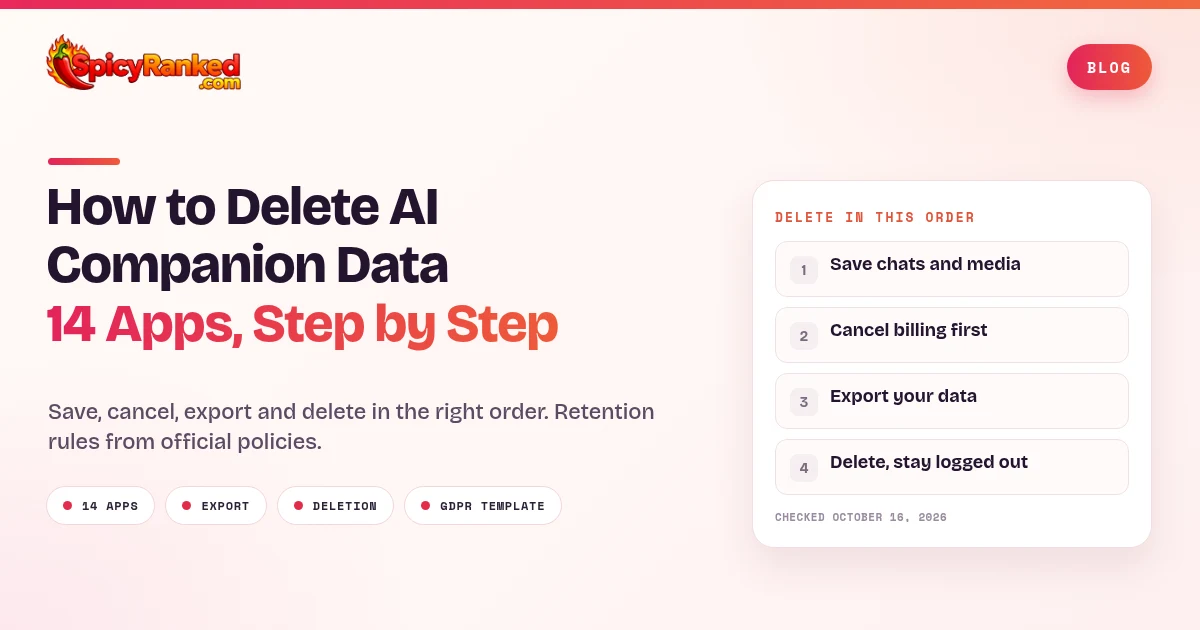
Short answer. Uninstalling an AI companion app does not delete your account. Save what you want to keep, cancel renewal with whoever bills you, get any export the app offers, then request account deletion in the app.
Save media and chats that could become unavailable, and check the saved files.
Cancel renewal through the App Store, Google Play or the web provider that bills you.
Get any export the app offers, and unpublish or delete public characters where you can.
Request account deletion, then avoid logging back in during any grace period.
Some apps keep billing records or backups after deletion.
Stored data follows each service's retention policy, and some records may remain after you delete the account.
Character.AI's parent company filed for Chapter 11 on 12 Oct 2026. Many people now want to know how to delete AI companion data before anything changes hands.
This guide covers 14 apps, based on each app's official help pages and privacy policies, reviewed on 16 Oct 2026. We did not independently confirm that any company erases data on its servers.
Disclosure. "SpicyRanked earns a commission if you sign up for SpicyChat AI through our link."
Client disclosure. "Kalon AI is a SpicyRanked client."
How to Delete AI Companion Data in the Right Order
Doing these steps in the wrong order can cause problems. A live subscription can block deletion or keep charging you. A skipped export can mean losing your chats for good. A public character can outlive your account.
Uninstalling the app does not delete the account on any of the 14 apps covered here.
Step 1. Save first, then cancel billing (App Store, Google Play or web)
Cancel renewal through the platform that bills you. Do not assume that deleting the app or contacting the app's support team has stopped it.
Replika and Kindroid both say deleting your account does not cancel your subscription.
CrushOn's FAQ says accounts with an active subscription cannot be deleted.
Candy AI and OurDream say deleting cancels an active subscription.
Some apps lock content when a plan ends, so OurDream, for example, advises downloading media before you unsubscribe.
Step 2. Export what you want to keep
Self serve exports vary a lot.
Character.AI emails a download link, but exports can take 3 to 4 weeks.
Talkie's export page lists only basic profile fields.
Muah AI creates local backups from your browser.
Most other apps only offer a copy on request under privacy law.
Open and check whatever you save before you delete anything, because deletion is permanent on almost every app here.
Step 3. Deal with public characters
Public characters often survive deletion. Character.AI and OurDream may keep a popular public character active after you delete your account, and Talkie shows published Talkies with the creator as "Null."
Where you can, remove identifying details and delete or unpublish characters first. That does not guarantee every retained copy is removed, so ask support about any character you cannot remove.
Step 4. Delete, then stay logged out
Several apps use a waiting period or recovery window.
Janitor AI shows a scheduled deletion date.
CrushOn's FAQ describes recovery by logging in within 3 days.
Kindroid schedules the final step for 24 hours.
These are recovery windows, not erasure deadlines. Sign out everywhere and leave the account alone.
AI Companion Data Deletion Compared (Table)
App | How to delete (path) | Export or data copy | Recovery window and retention | Official source (reviewed 16 Oct 2026) |
|---|---|---|---|---|
Character.AI | Profile → Profile Settings → Account → Manage Account & Data → Delete Account | Self serve export, 3 to 4 weeks, link valid 7 days | No recovery. Kept "for the time necessary," public characters may stay live | Character.AI help center |
Janitor AI | Settings → Security → Delete account, plus six digit email code | Copy on request where applicable | Grace period to restore. Some records kept afterward (email, sign in data) | Janitor AI help center |
Talkie | Account Deactivation page or account settings | Self serve export of email, username, gender and age. No chat archive listed | No recovery. Kept "as long as necessary" | Talkie deactivation and export pages |
PolyBuzz | Setting → Account → Delete (labels may vary). Premium must have expired | Copy on request | No recovery. Backups cleared when updated, anonymized data kept | PolyBuzz Privacy Policy 7.3 and Terms of Use 6.4 |
Replika | Settings → Account Settings → Delete Replika | Copy on request where applicable. No confirmed full chat export | No recovery. Contract data up to 60 days, account, financial and automatically collected data at least 10 years | Replika help center |
Chai | Profile → Settings → Delete Account | Copy on request where applicable | Up to 5 years after deletion, longer where legally required | Chai Privacy Policy |
Kindroid | Delete every Kindroid, last one scheduled for 24 hours | Copy on request where applicable | 24 hour window to restore the last Kindroid. Subscription status and logistical data kept | Kindroid Help Center |
CrushOn | Profile → Settings → Delete Account | Not stated | 3 day recovery window per FAQ. Later retention not stated | CrushOn FAQ |
SpicyChat | Profile → Advanced → Delete Account | Not stated | No recovery. Kept "as long as necessary" | SpicyChat docs |
Nomi | Account Settings → delete account | Transfer on request, depending on local law. No confirmed full chat export | Deleted within about 28 days. Support communications may stay in archives | Nomi Privacy Policy |
Muah AI | Delete Account control in the chatroom (see its guide), or email love@muah.ai | Local .muah backup and current chat export. Not a confirmed full server archive | Not stated | Muah AI guide and Privacy Policy |
Candy AI | My Profile → Settings → Danger Zone → Delete Account | Copy on request under GDPR. No confirmed full chat export | Recovery not stated. Some data kept for legal periods, financial data 10 years from issuance | Candy.ai Help Center |
OurDream | Profile → Danger Zone → Delete my account → follow the prompts | Download media yourself. Export request at trust@ourdream.ai where applicable | No recovery. Purpose based retention with legal exceptions, popular public characters may remain | OurDream help center |
Kalon AI | Email request (see note) | Copy on request, depending on state law | Kept "as long as necessary" | Kalon Privacy Policy |
How to Delete Your Character.AI Account
On the web
Open your Profile.
Go to Profile Settings, then Account.
Open Manage Account & Data.
Select Delete Account.
On the mobile app
Open your Profile.
Tap the settings icon.
Select Remove Account.
Character.AI's "How do I delete my account?" help article, checked 16 Oct 2026, says account deletion is permanent and cannot be reversed.
Do not rely on account deletion to cancel c.ai+. Cancel through the original billing route first. Character.AI's subscription article says web subscribers use the Customer Portal under Settings, Account, Manage, via a secure link sent to their email. App subscribers cancel through Apple or Google Play.
Can you delete a Character.AI account without logging in? The official steps start inside your profile. If you cannot sign in, the privacy policy accepts requests at privacy@character.ai or through its help center form, after identity verification. See our troubleshooting section.
How to Export Your Character.AI Data First
On the web, go to your Profile, then Profile Settings, Account, Manage Account & Data, and click Export Data.
On mobile, open your Profile, tap the Settings icon, tap Legal & Privacy and tap Export Data.
Wait for the email. Character.AI's "How do I download my data?" article says exports can take 3 to 4 weeks.
Download the file quickly. The link stays valid for 7 days from the time it is sent.
Request the export, download the file, and only then delete. See Data Export Not Working below.
How to Delete Character.AI Chats Without Deleting Your Account
Character.AI's help center has no article on deleting individual chats. We could not confirm the current chat delete controls from an official source on 16 Oct 2026, so we will not describe button labels that may have moved.
The privacy policy says Character.AI keeps information "for the time necessary" for the purposes it was collected. Deleting a chat in the app is not a promise that every copy is erased.
Can Character.AI See Your Chats?
Yes. Character.AI's privacy policy says it collects chat communications and uses them to run and improve the service and train its models. It shares data with vendors for tasks such as content moderation.
Users in the EEA or UK can switch off "Improve the Model for Everyone" under Settings, Account, Manage Account & Data, Model Improvement on the web, or Settings, Data & Privacy in the app. The opt out covers new content only.
What Character.AI Keeps After Deletion
Character.AI data retention has no fixed clock. The privacy policy says it keeps information "for the time necessary" and longer where needed for legal duties, disputes and enforcing agreements.
Section 7 adds that if a character you made was available to other users, Character.AI may keep it active even after you delete your account.
Character.AI Chapter 11 Status (as of 16 Oct 2026)
Is Character.AI shutting down? Not as of 16 Oct 2026. Character.AI's own update says the platform "remains up and running" and that users can continue to access all services.
Character.AI announced on its official blog on 12 Oct 2026 that it had started a voluntary Chapter 11 bankruptcy process to run a court supervised sale of the company.
Character.AI says paid subscriptions remain active. The company says it expects the sale to finish by the end of November or early December 2026.
The company also says that if no bid allows the platform to keep running, the platform will be wound down.
The case is in the US Bankruptcy Court for the District of Delaware, Case No. 26-11603.
Reuters, via NBC News, reported that Disney is the stalking horse bidder at $20 million for a nonexclusive perpetual license to some intellectual property. KQED and PPC Land reported that the deal leaves out user data and chats.
On 14 Oct 2026, attorneys general from 39 states and DC filed a notice in the case. Among other things, they ask that all users get a chance to delete their data before any sale of it. This is a request, not a court order.
PPC Land reported a proposed sale hearing on 24 Nov 2026, based on the company's proposed bidding schedule. The court had not confirmed that date in any filing we reviewed.
Character.AI says you can still delete your account or export your data. For the platform's content rules, see our guide to Character.AI's NSFW policy.
We will update this box at each docket milestone, including the sale hearing.
How to Delete Your Janitor AI Account
Open Settings, then the Security tab.
Scroll to the bottom and click "Delete account."
Enter the six digit code Janitor AI sends by email.
Janitor AI's help center says deletion is permanent and removes posts, characters, personas and profile information.
The email code is the catch. Janitor AI says you must have access to the account email, and its support team cannot delete accounts manually. If you no longer have that email, Janitor AI says it cannot help with deletion. If the code is not arriving, Janitor AI suggests checking spam and promotions folders.
Janitor AI's privacy policy, last updated 17 Sep 2026, says the account is deactivated first with a scheduled deletion date, and you can restore it during that grace period. Afterward, your email and sign in data may stay in deleted account records for receipts, security, fraud prevention and legal duties. Ask about them at support@janitorai.com.
Can Janitor AI see your chats? The policy lists chat conversations among the content it collects and names content moderation as one use. Is Janitor AI safe for privacy? It gives no retention period beyond "as long as necessary." See our Janitor AI alternatives list.
How to Delete Your Talkie AI Account
Open Talkie's Account Deactivation page on its website, or the delete option in your account settings.
Confirm the deactivation.
The deactivation page says you will no longer be able to log in, and that personal information and all conversation records are permanently erased, even if you register again.
Characters you published are the exception. Talkie's deactivation page says that after you close the account you give up ownership of your Talkie, and the creator will appear as "Null." Where you can, delete or unpublish a character first, though that does not guarantee every retained copy is removed.
Talkie's Data Export page lists email address, username, gender and age as the exported fields. It does not promise a full chat archive.
Talkie is run by SUBSUP PTE. LTD., whose privacy policy, updated 9 Dec 2025, keeps data only as long as necessary. Contact feedback@subsup.com.
How to Delete Your PolyBuzz Account
Go to the "Setting" page.
Tap "Account."
Tap "Delete."
That path comes from section 7.3 of the PolyBuzz privacy policy, last updated 1 Jun 2026, which says deletion is irreversible. Labels may vary by version. If those controls are missing, contact legal@mail.polybuzz.ai.
PolyBuzz says some backup copies are removed only "when the backup system is updated or upgraded," and it may keep anonymized data derived from your information.
PolyBuzz's terms of use, section 6.4, say an account can only be deleted when it has no dispute or outstanding charge and any premium services bought on it have expired. So cancelling renewal may not make deletion available straight away.
Back up first, since PolyBuzz says it cannot retrieve content after deletion. For a data copy, contact PolyBuzz, which generally responds within 30 days of verifying the request.
How to Delete Your Replika Account
In the mobile app
Tap the gear icon on the Home Screen.
Tap Account Settings, then tap Delete Replika.
Pick a reason and enter your password.
Choose "Delete my Account."
On the web
Log in on the Replika website.
Click the gear icon and select Account Settings.
Click Delete my Account.
Replika's "How do I delete my account?" article, updated 12 Oct 2026, says this removes your profile, levels, chat history, photos and links, and cannot be undone. A second Replika article uses slightly different labels for the same flow, so follow the wording on your screen.
Replika's help center also says there is currently no way to delete your whole message history without deleting your account. You can remove individual items from your Replika's Memory section instead.
How to Cancel Your Replika Subscription First
Open the app or the Replika website and tap the gear icon.
Tap Subscription.
Tap Cancel subscription.
Replika's help center says deleting the app does not cancel your subscription, and it says the same about deleting your account. If you paid through Google Play, the App Store or PayPal, confirm the cancellation there too. Replika says it does not manage those subscriptions on its side.
Is Replika data safe?
Replika's privacy policy, last updated 27 May 2026, says that for contract purposes it processes profile information, messages and content for up to 60 days after the contract ends. It keeps account information, financial records and automatically collected personal data for at least 10 years because of legal retention rules. Other legal bases and disputes can affect these periods.
For Replika GDPR requests, its "GDPR Compliance & Right to Erasure" article points to the support form and promises a reply within one month. The policy directs privacy requests to my@replika.com.
For context, Italy's data protection authority, the Garante, fined Replika's developer Luka Inc. 5 million euros in May 2025, finding no legal basis for processing and no age checks as of February 2023. See our Replika review.
How to Delete Your Chai Account
Sign in and go to the "Profile" section.
Open "Settings."
Press "Delete Account."
Chai's privacy policy, last updated 12 Oct 2026, says this option is available to all users regardless of where they live. It permanently deletes your account and associated personal data, subject to the retention rules in the policy.
Chai keeps data no longer than the life of the account plus five years after deletion, or longer for legal claims or official orders. The policy also says your messages may be used to improve the chatbot for all users, based on legitimate interest. Contacts are hello@chai-research.com and dpo@chai-research.com.
How to Delete Your Kindroid Account
Open the Chat tab.
Tap the menu next to a Kindroid and choose Delete.
Repeat for every Kindroid you have. All except the last can be deleted instantly.
The final one is scheduled for 24 hours and can be restored during that time.
After the last Kindroid goes, Kindroid says journals, backstory, personas, location history and custom voices are removed. Subscription status, currency counts and other logistical data are kept to prevent abuse.
Kindroid says deleting your account does not cancel your subscription, and subscribers must type "I understand deleting my account does not cancel subscriptions" first. Its privacy policy, effective 6 Oct 2026, keeps chats and media until you delete the AI or account. See our Kindroid review.
How to Delete Your CrushOn AI Account
Go to your profile page.
Click the "Settings" button.
Select "Delete Account."
That path comes from the Account FAQ on CrushOn's official FAQ page. CrushOn warns that once the account is deleted it cannot be recovered.
The same FAQ explains why deletion fails. Accounts with an active subscription cannot be deleted, so cancel first through the App Store, Google Play or the web payment site you used. A weak connection can also block deletion. If neither fix works, contact support@crushon.ai.
There is a short recovery window. CrushOn's FAQ says you can recover your account by logging back in within 3 days of deletion, even though the same FAQ also calls deletion irreversible. Confirm the recovery procedure with support if it matters to you, and otherwise stay logged out. See our CrushOn AI review.
How to Delete Your SpicyChat Account
Cancel any subscription through "Manage Subscription" on Profile Settings first.
Go to your Profile and scroll to the bottom.
Open the Advanced section.
Select Delete Account and confirm.
The official SpicyChat docs say deletion is permanent and the account cannot be restored, though you can reuse the email later. To clear only some history, the docs describe a "Delete" button for individual saved chats.
Does SpicyChat read your chats? Its privacy policy does not answer that directly. The policy is dated 4 May 2023, which is old for a fast moving product. It says personal data is kept only as long as necessary and lists support@spicychat.ai for privacy questions.
We may earn a commission if you sign up through our SpicyChat link. Disclosure. "SpicyRanked earns a commission on sign ups through this link." Visit SpicyChat AI, read our SpicyChat AI review, or delete your old companion account first and browse our SpicyChat alternatives.
How to Delete Your Nomi AI Account
Open Account Settings.
Use the delete account option and confirm.
Nomi's privacy policy, last updated 27 Apr 2026, says deleting your account through Account Settings deletes all of your personal information "within 28 or so days" of confirming. The policy also says you cannot change the email address tied to an account once it is created.
Two exceptions matter. Nomi says personal information in your communications with the company becomes part of its archives, and that destroying it depends on applicable law and its retention policies. So account deletion does not necessarily remove support emails.
Nomi also says data in its training archives is no longer attributable to you after deletion, which is not the same as removal. Nomi is run by Glimpse.ai, Inc., and requests go to support@nomi.ai.
How to Delete Your Muah AI Account
Open the Delete Account control documented in Muah AI's official guide.
Read the final confirmation before you accept.
Or send a deletion request to love@muah.ai.
The guide gives no deletion deadline. A separate Wipe Cloud Data tool deletes cloud history and settings and is not the same as Delete Account. Muah's privacy policy, effective 17 May 2022, accepts deletion requests at love@muah.ai.
For exports, the guide describes Download Data, which creates a .muah backup from data in your current browser rather than every server record. Export Chat saves the active conversation as PNG or HTML.
It warns that deleting a message may not remove a fact already stored in a memory summary. We found no official Muah subscription cancellation steps.
How to Delete Your Candy AI Account
Log in and open the "My Profile" menu.
Click "Settings."
Scroll to the "Danger Zone" area.
Click "Delete Account."
That comes from the Candy.ai Help Center article "How can I delete my account with you?" It says your preferences, usage history and personal information become permanently unavailable, though Candy AI must keep some data for legally mandated periods.
To cancel without deleting, click "Unsubscribe" under My Profile, then Settings. Candy AI's help center says deleting before the renewal date cancels an active subscription, and that deleted conversations cannot be recovered. It does not say whether a deleted account can be recovered. Billing problems go to support@candymail.ai.
Candy AI's privacy notice says account data is generally kept for three years after your last activity unless you request deletion. Financial and transaction data is kept for ten years from the date the records were issued. Candy AI is run by EverAI Limited in Malta. See our Candy AI review.
How to Delete Your OurDream Account
Go to your Profile page on the OurDream website.
Scroll to the "danger zone" at the bottom.
Click delete my account and follow the prompts.
OurDream's "How do I delete my account?" help article says processing takes 24 to 48 hours, an active subscription is cancelled automatically, unused dreamcoins are lost and deletion is permanent. OurDream's privacy policy and Trust and Safety pages also point to Settings, then Account management, so follow whichever label your screen shows.
To only cancel your OurDream subscription, click "Cancel subscription" on your Profile page. Access lasts until the billing period ends, with no automatic refund, and generated media is blurred afterward, so download it first.
OurDream's Trust and Safety privacy summary says that, depending on where you live, you can request access or a portable export at trust@ourdream.ai. Its privacy policy, last modified 26 Aug 2026, keeps information for the time necessary and may keep a popular public character active after deletion. See our OurDream AI review.
A Note on Kalon AI
Client disclosure. "Kalon AI is a SpicyRanked client."
Kalon's privacy policy, last updated 4 Feb 2026, says you may ask Kalon to delete personal data it holds about you, subject to legal exceptions. To exercise that right, email privacy@kalon.ai.
As of 16 Oct 2026, Kalon's website shows its AI chat, image and video features as down while version 2 is being built. Read our Kalon AI review or explore Kalon AI.
What Deleting Your Account Leaves Behind
Deletion removes access, not always every copy. Five kinds of data tend to survive.
Public characters. Character.AI and OurDream may keep popular shared characters live, and Talkie keeps published characters up under a "Null" creator.
Retention clocks. Replika keeps contract data for up to 60 days and some records for at least 10 years. Chai allows up to five years after deletion, longer where legally required. Candy AI keeps transaction data for ten years from issuance. Recovery windows like CrushOn's 3 days are separate from these.
Support emails. Nomi says support communications may stay in its archives, subject to applicable law and its retention policies.
Training that already happened. Several policies say chats help improve models, and Character.AI's EEA and UK opt out only covers new content.
Store and payment receipts. Apple, Google, PayPal and Stripe keep their own purchase records.
This is why an AI girlfriend data breach is a real worry even after you leave. If you are choosing a new app, compare privacy terms in our best AI girlfriend apps list.
Troubleshooting AI Companion Account Deletion
I Can't Delete My Account
Start with billing, since CrushOn blocks deletion while a subscription is active.
Next, check the label. Character.AI says Remove Account on mobile and Delete Account on the web, and Kindroid has no single delete button.
If the app still refuses, try the website in a different browser.
Then send a written request using the template below.
How to Delete an Account Without Email or Login Access
Janitor AI is the hardest case, because deletion needs the email code and support will not delete accounts manually.
For Character.AI, the deletion steps need you signed in, but privacy@character.ai and the help center request form also accept privacy requests.
For other apps, try account recovery first. If that fails, send a privacy request through the method named in the privacy policy. Companies verify identity in their own way within legal limits, so success is not guaranteed.
Data Export Not Working
Character.AI exports can take 3 to 4 weeks, and the link expires 7 days after the email is sent. Check spam and the account email.
If the link expired, request a new export, and do not delete until the file is saved.
GDPR and CCPA Deletion Request Template
If an app has no delete button, or it fails, privacy law may help.
GDPR and UK GDPR. Article 17 gives a right to erasure, with exceptions such as legal obligations and legal claims. Article 12(3) sets a one month response time, extendable by up to two further months where justified, with the extension explained within the first month.
CCPA. It covers eligible California residents and businesses it applies to, which the California Attorney General says must respond within 45 calendar days, plus another 45 with notice.
Neither law guarantees every record is erased. A Character.AI GDPR request or a Replika GDPR request can use this template.
Subject: Request to delete my personal data

Hello,

I am asking you to delete my account and all personal data you hold about me.
Where applicable, I exercise my right to erasure under the GDPR, UK GDPR, CCPA or other applicable privacy law.

Account email: [your email]
Username or user ID: [your username]
I can provide reasonable information needed to verify ownership through a secure channel.

I understand lawful retention exceptions may apply. Please confirm when the deletion is complete, and list any categories of data you keep, the reason and how long you keep each.

Thank you,
[Your name]
Use the privacy policy's designated request method, and send from the account email where you still have access. Do not send passwords, one time codes, full card numbers or chat screenshots nobody asked for.
Privacy contacts listed in each app's own policy or help center, checked 16 Oct 2026, are below.
App | Privacy contact |
|---|---|
Character.AI | privacy@character.ai |
Janitor AI | support@janitorai.com |
Talkie | feedback@subsup.com |
PolyBuzz | legal@mail.polybuzz.ai |
Replika | my@replika.com |
Chai | dpo@chai-research.com |
Kindroid | hello@kindroid.ai |
CrushOn | support@crushon.ai |
SpicyChat | support@spicychat.ai |
Nomi | support@nomi.ai |
Muah AI | love@muah.ai |
Candy AI | support@candymail.ai |
OurDream | trust@ourdream.ai |
Kalon AI | privacy@kalon.ai |
AI Companion Data Deletion FAQ
For more account deletion guides, see how to delete an OnlyFans account and how to delete a FeetFinder account.
Related guides

Written by
Lena Voss
Lena Voss reviews adult dating, cam, and platform sites for SpicyRanked. Her goal is simple: help you decide if a site is worth paying for before you hand over your card. She reads the billing terms and cancellation policy first, because that is where these platforms hide the costs. Her reviews cover the things that matter most, real prices, pushy upsells, whether the user numbers are honest, and how each site protects your privacy. When a platform is good, she says so. When it is not, she tells you plainly. No hype, just a clear answer you can trust.